



In this post, I’m going to walk you through the common SEO mistakes to avoid so your blog can actually get found (and not quietly disappear into the internet void). You’ll also get simple fixes you can do today, even if you’re not “techy.”
Starting a blog post can feel like learning to roller-skate on gravel. But SEO is way less scary when you know what not to do.
TL;DR (Busy Girl Version)
If you only do 5 things, do these:
- Write for humans first. Google is obsessed with “helpful,” not “fancy.”
- Pick one main keyword per post and stay on topic.
- Fix your basics: titles, headings, internal links, and image alt text.
- Stop publishing “thin” posts (short, vague, no real answers).
- Track what’s working and update posts instead of constantly starting new ones.
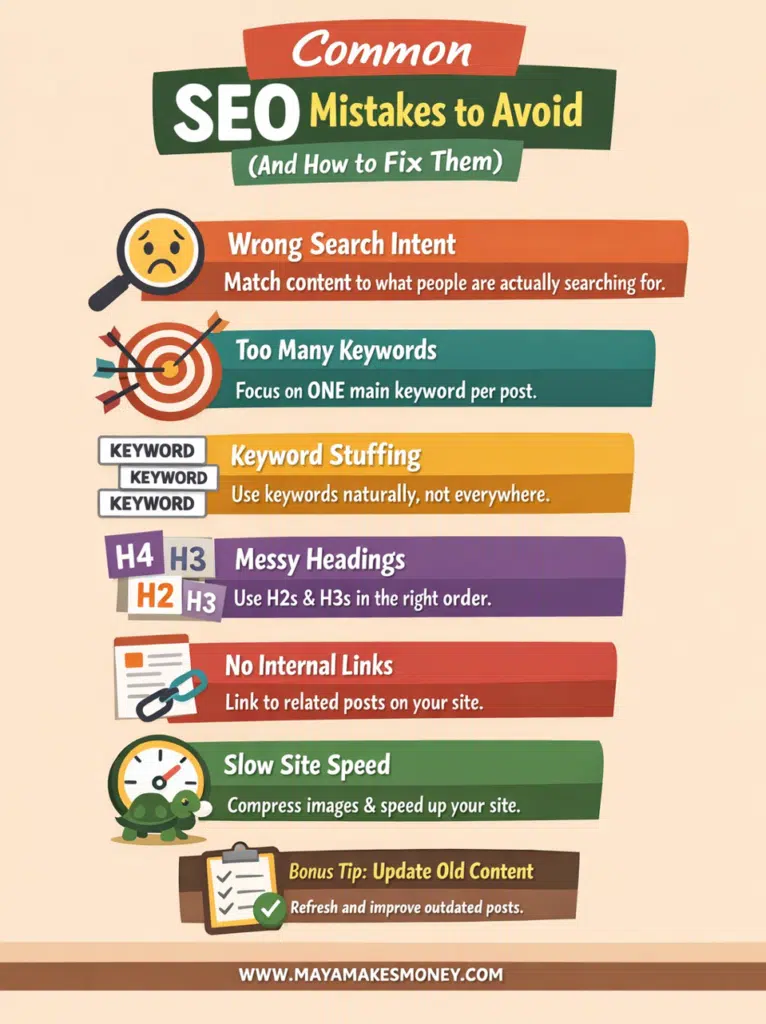
10 Common SEO Mistakes to Avoid (And How to Fix Them)
Let’s get into the real stuff. Here’s what I see bloggers doing all the time that quietly wrecks their traffic.
1) Writing posts that don’t match search intent
This is the BIG one.
If someone searches “common SEO mistakes to avoid,” they want:
- a list of mistakes
- clear examples
- simple fixes
- maybe a checklist they can use
They do not want a 900-word motivational speech about “showing up online.”
How to fix it
Look at what’s ranking on page 1 and ask yourself this:
“What format is Google clearly rewarding?”
Then make yours more helpful and easier to follow.
Like I always say, do not re-invent the wheel – copy what’s already working, but make it 5% better.
2) Targeting too many keywords in one post
This is one of the most common SEO mistakes guide issues I see.
When a post tries to rank for:
- “SEO mistakes”
- “SEO tips”
- “Blogging tips”
- “How to start a blog”
…. all in one article, it ends up ranking for none of them. And I can speak from experience on this!
How to fix it
- Choose one main keyword per post.
- Use related phrases as support, not as competing topics.
3) Keyword stuffing (or forcing the keyword everywhere)
If your keyword shows up in every single sentence, it reads very weird. People bounce – quick! And guess what? Google takes notice. (And yup, it’s something Google has warned us about for a long time now.)
How to fix it
After that, focus on clarity. Use synonyms and natural language.
Use your main keyword naturally in:
✔ the post title (your H1 in WordPress)
✔ your first paragraph
✔ at least one early H2
After that, focus on clarity. Use synonyms and natural language.
4) Using messy headings (or no headings at all)
Headings are like road signs. Without them, readers get lost and leave.
How to fix it
- Since WordPress uses the title as your only H1, start your content with H2s.
- Use H3s under the right H2s.
- Don’t skip levels (don’t jump from H2 to H4). This is super important.
5) Publishing “thin content” that doesn’t answer the question
Thin content is basically:
- short
- vague
- generic
- no examples
- no step-by-step
And Google’s goal is to show helpful content, especially when there’s a lot of options to choose from.
How to fix it
Add:
✔ Examples
✔ quick steps
✔ “do this, not that”
✔ a checklist
✔ a short FAQ at the end
Ask: “Did I fully solve the problem?”
6) Forgetting internal links (and making every post an “only child”)
If your post isn’t connected to anything else on your site, Google has less context, and readers have nowhere to go next.
How to fix it
Add 1–3 internal links like:
✔ “If you’re new, read this next: [your beginner SEO post]”
✔ “Here’s my full checklist: [your on-page SEO post]”
Also link from older posts into your new post.
7) Ignoring image SEO (filenames + alt text)
Google can’t “see” your image like we can. It uses text clues.
How to fix it
Rename images before uploading:
✔ bad: IMG_4029.jpg
✔ good: common-SEO-mistakes-to-avoid-checklist.jpg
Add simple alt text that describes the image.
8) Having a slow site (especially on mobile)
If your site loads like it’s dragging a couch up stairs, people leave. And page experience can matter when Google has lots of similar “helpful” options to choose from.
How to fix it
- Compress images
- Use a caching plugin (if you’re on WordPress)
- Keep your theme simple
- Test on your phone, not just your laptop
9) “Set it and forget it” content (never updating old posts)
Old posts can rank better after a refresh.
How to fix it
Update:
✔ outdated examples
✔ broken links
✔ titles and headings
✔ add a new section readers keep asking about
Then request indexing in Google Search Console.
10) Tracking nothing (so you don’t know what to fix)
If you’re guessing, you’re basically trying to win a game with your eyes closed.
How to fix SEO mistakes
Check Search Console for:
✔ pages with impressions but low clicks (title/meta needs work)
✔ pages ranking positions 8–20 (these are close to winning)
Update those first.
The Biggest SEO Mistake
So, what’s the biggest and most common SEO mistake?
Answer: Guessing!
That’s right, trying to “figure it out” without using data.
Let’s be honest for a second. SEO is not intuition. It’s not vibes. And it’s definitely not luck.
If you’re not using a tool like SEMrush, you’re probably:
- Writing posts no one is searching for
- Targeting keywords that are way too competitive
- Wondering why your traffic is stuck
Using a tool like SEMrush is basically like seeing the test answers before you even sit down.
And yes, tools worth using typically cost money. But spending nothing is often the most expensive choice.
Here’s the good news though: you don’t even have to commit
SEMrush offers a Free Trial, and honestly? Even if you just that free trial to squeeze out as many SEO wins as possible, do it! It’s free, you have nothing to lose.
During the 7-day free trial, you will:
- Find out which keywords you can actually rank for
- Learn what SEO mistakes you’re making that’s holding you back
- Discover what’s already working so you don’t have to guess anymore.
Think of it like turning the lights on.
You can spend months wandering around in the dark…
or you can use a tool, get clarity fast, and save yourself a ton of time.
Compared to ads, SEO tools are cheap.
Ads stop the second you stop paying.
SEO keeps working long after the post is published.
That’s not an expense.
That’s an asset.

Avoiding SEO Mistakes in Blogging
Here’s a Quick “Fix-It” Checklist.
Use this when you publish or update a post:
- Main keyword is clear (one main topic)
- Title matches what the searcher wants
- First H2 includes the main keyword
- Short paragraphs (2–3 sentences)
- At least 2–4 helpful H2 sections
- Examples + step-by-step included
- 1–3 internal links added
- Images renamed + alt text added
- Post has a simple FAQ at the end
- You check performance after 2–4 weeks
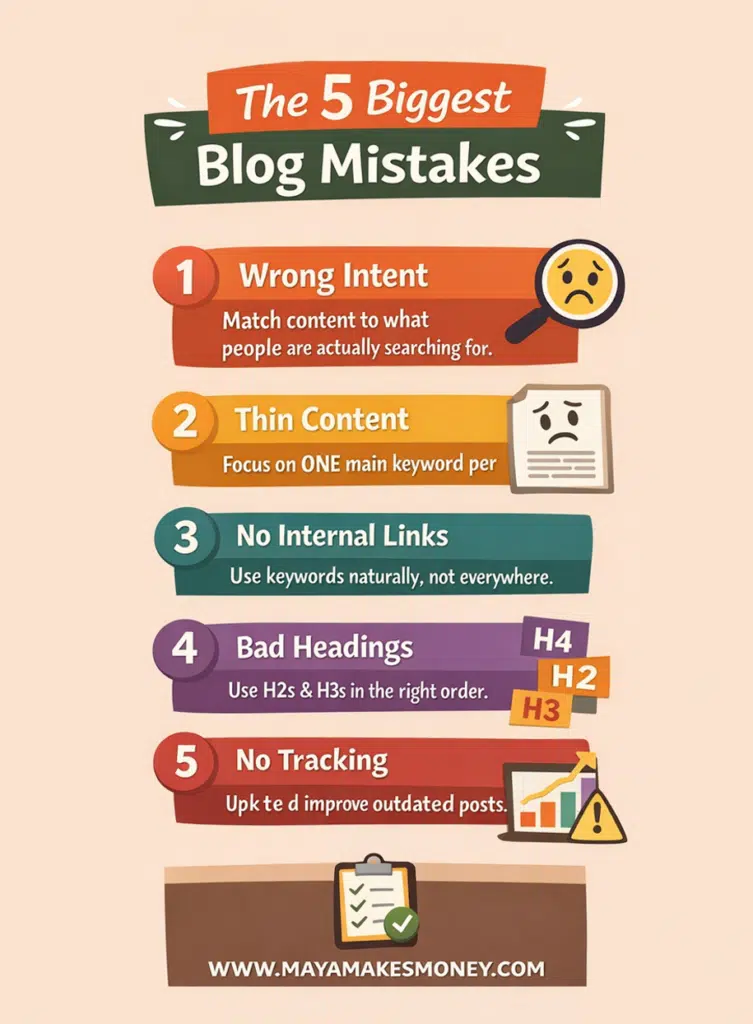
Blog SEO Mistakes: The Ones That Hurt the Most
If you’re overwhelmed, prioritize these first (biggest impact):
- Wrong intent
- Thin content
- No internal links
- Bad headings
- No tracking
Fix those and you’ll be ahead of most bloggers.
The Bottom Line
If you’ve been stuck, it’s usually not because you “suck at SEO.” It’s because you’re doing a few fixable things that Google can’t work with yet.
Want an easy next step? Pick one post that’s already getting impressions in Search Console and use the checklist above to improve it.
Common SEO Mistakes to Avoid FAQ
Here are the most common questions people ask when they’re trying to clean this up (and yes, these are the exact types of questions that tend to show up in “People Also Ask”).
What is the biggest SEO mistake?
The biggest mistake is not matching search intent. If your post doesn’t give the searcher what they came for, they leave, and your rankings suffer.
How do I fix SEO mistakes on my blog?
Start with the basics: improve headings, add internal links, expand thin posts, update old content, and track results in Search Console.
Does keyword stuffing hurt SEO?
Yes. It makes your writing weird, and Google has specifically called out keyword stuffing as a bad practice.
How often should I update blog posts for SEO?
A good rule: refresh posts that are already getting impressions but not clicks, or posts sitting around positions 8–20. Even small updates can help.
Are backlinks still important?
They can help, but they’re not a magic fix. If your content isn’t helpful or doesn’t match intent, backlinks won’t save it.
Read this Next….
If you want more traffic, this next post on SEO Backlink Methods will break down which backlink strategies actually work and which ones are a total waste of time.
