


Learning how to start a podcast for beginners sounds intimidating, and most beginners quit before they ever hit record. Not because podcasting is hard, but because they think it has to be complicated. It doesn’t, and it’s not.
To be honest, learning how to start your own podcast is so much easier than you probably think it is! The truth is you don’t need a studio, a producer, or a wall of expensive gear to start a podcast today. You can literally start with your phone, one app, and a clear idea.
This guide walks you through how to start your own podcast step-by-step, using simple tools, minimal setup, and beginner logic. No tech spiral. No perfection paralysis. Just progress baby!
Why Podcasting Is Still One of the Smartest Beginner Content Plays
Podcasting isn’t crowded. It’s under-started.
Most people talk about starting a YouTube channel or TikTok, but podcasting quietly offers:
- Loyal listeners
- Less competition than video
- Long-form trust building
- Multiple ways to make money
And yes, learning how to start a podcast and make moneydoing it is absolutely possible, even with a small audience.
You don’t need to go viral. You need to be consistent and helpful.
TL; DR – How to Start a Podcast for Beginners
If you want the short version, here it is:
- You can start a podcast with just your phone
- You do not need expensive gear or tech skills
- Pick one clear topic and one clear audience
- Record, edit lightly, and publish consistently
- Hosting pushes your podcast to Spotify and other platforms automatically
- You can make money with affiliates, digital products, and sponsors
- The hardest part is starting — not the tech
That’s the entire podcast start up in plain English. 😉
Step 1: Plan Your Podcast (This Is Where Most People Skip and Fail)
Before you record anything, you need what I call podcast packaging. This is the foundation of your podcast start up.
Ask yourself three things:
Who Is This Podcast For?
Not “everyone.” Pick one clear person.
Examples:
- Busy moms trying to make money online
- Beginners learning personal finance
- Introverts who hate social media but want income
If you don’t know who you’re talking to, no one feels spoken to.
What Is the Topic?
Choose one main lane. You can always evolve later.
Bad Examples:
❌ Life & Money
❌ Mindset & Motivation
❌ Business Tips
Good Examples:
✅ Side hustles for beginners
✅ Budgeting for single moms
✅ Cozy passive income ideas
This clarity matters for how to start a successful podcast that actually grows.
You’ve probably heard the phrase “niche down.” Well, the same rule applies to podcasts. A clear topic helps the right listeners find you, understand what your show is about, and decide quickly if it’s worth subscribing.
What Makes You Different?
You don’t need to be the best. You need to be specific.
Same topic. Different angle.
That’s how you stand out.
Step 2: Choose a Podcast Name and Cover Art
Your podcast name should do two things:
✅ Tell people what it’s about
✅ Make them curious enough to click
Before locking it in:
- Search Apple Podcasts
- Search Spotify
- See what already exists
You don’t want to copy. You want to differentiate.
Cover Art Tips (Keep This Simple)
- Square image
- Big readable text
- One focal point
- High contrast
Canva works perfectly for beginners. You do not need a designer to start a podcast.
⬆️PIN THIS! ⬆️
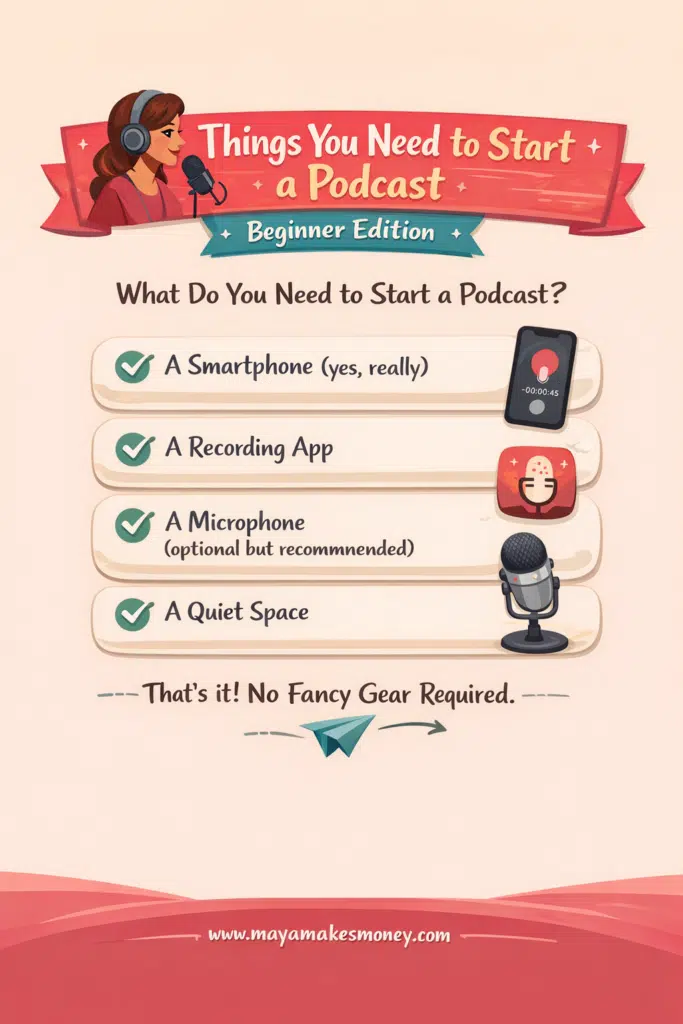
Step 3: Things You Need to Start a Podcast (Beginner Edition)
Let’s answer the big question directly:
What Do You Need to Start a Podcast?
Here’s the honest beginner list.
Things you need to start a podcast:
✅ A smartphone (yes, really)
✅ A recording app
✅ A microphone (optional but recommended)
✅ A quiet space
That’s it my dear!
And that’s why learning how to start a podcast for free is completely realistic.
Step 4: Your Simple Podcast Start Up Gear (Budget Friendly)
You can upgrade later. Start simple now.
📌 Your Phone
Any modern iPhone or Android will work well.
📌 Microphone (Optional but Smart)
If you want better sound, a basic USB microphone makes a huge difference. You don’t need the most expensive option.
Audio quality matters more than video quality.
📌 Tripod or Stand
Keeps your phone steady and hands-free. Cheap and effective.
That’s your entire podcast start-up checklist for equipment.
Step 5: Record Your Podcast (Solo or With Guests)
This is where beginners overthink.
You have 3 options:
- Solo podcast
- Podcast with guests
- Audio-only podcast
All are valid.
Solo Podcasts Are Underrated
✅ They’re easier.
✅ They’re faster.
✅ They build authority quicker.
If you’re nervous, start solo.
Recording With Guests
Most podcast apps let you send a link. Guests don’t need fancy setups either.
This flexibility is huge when learning how to start your own podcast without stress.
Step 6: Edit Your Podcast (Without Losing Your Mind)
Editing does not mean perfection.
Your goals:
- Cut dead air
- Remove major mistakes
- Clean up the beginning and end
That’s it.
You do not need:
- Fancy music
- Complex transitions
- Studio-level edits
Done is better than perfect every single time.
Step 7: Export Your Audio (And Video If You Want)
When your episode is finished, you’ll usually export two files:
✅ One audio file for podcast platforms like Spotify and Apple Podcasts
✅ One video file (optional) if you plan to upload to YouTube or turn clips into short-form content.
For the audio export, beginners typically choose between two formats:
✅ WAV – Higher quality and better sound clarity, but larger file size
✅ MP3 – Smaller file size, easier to upload, and perfectly acceptable quality
If your hosting platform accepts WAV, use it. If not, MP3 is completely fine too and widely supported.
Don’t get stuck here. Pick a format, export the file, and move on. Your listeners care more about consistency and clarity than file perfection.
Step 8: How to Start a Podcast on Spotify (and Everywhere Else)
Your podcast needs a host.
A host:
- Stores your episodes
- Creates an RSS feed
- Sends your podcast to platforms
Once hosted, your show can appear on:
- Spotify
- Apple Podcasts
- Google Podcasts
- YouTube (if video)
This is how podcasts magically show up everywhere without you uploading manually.
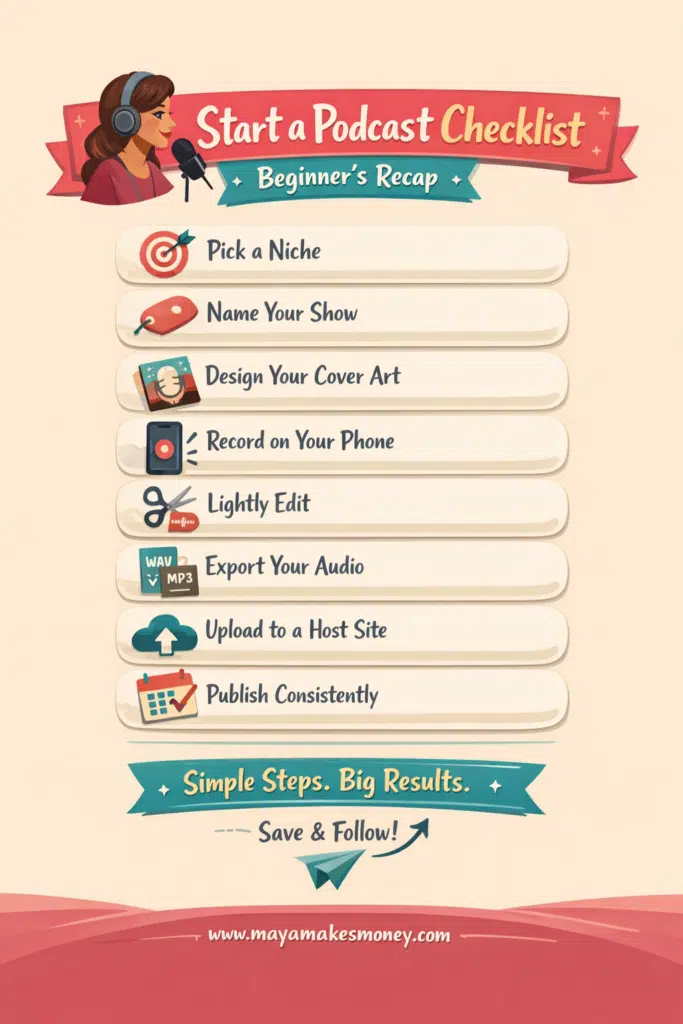
Step 9: Start a Podcast Checklist (Beginner Recap)
Here’s your start a podcast checklist in plain English:
- Pick a clear topic
- Choose a name
- Create cover art
- Record on your phone
- Edit lightly
- Export audio
- Upload to a host
- Publish consistently
That’s the entire system.
Save this. Screenshot it. Use it.
⬆️PIN THIS! ⬆️
Step 10: How to Start a Podcast and Make Money
This is the part everyone overthinks.
You do not need thousands of listeners to make money from a podcast. You don’t need to be famous, viral, or charting in the top 10 on Spotify.
You need trust.
Podcasting works because listeners choose you on purpose. They put you in their ears while driving, cleaning, or walking the dog. That’s the level of attention most content platforms never get.
Here are the smartest beginner-friendly ways to monetize without ruining your podcast.
Affiliate Links (The Easiest Place to Start)
Affiliate marketing is perfect when you’re learning how to start a podcast and make money because you don’t need your own product yet.
This works best when you:
✅ Recommend tools you already use
✅ Share resources naturally during episodes
✅ Keep it helpful, not salesy
Examples:
- Recording tools
- Apps you use daily
- Books that helped you
- Courses or memberships you truly believe in
You simply mention the resource, explain why it helps, and place your affiliate link in the show notes.
Even a small audience can generate consistent affiliate income because podcast listeners trust recommendations more than ads.
Digital Products (Low Effort, High Leverage)
Digital products are where podcasts really shine.
Because listeners already trust you, they don’t need convincing. They need solutions.
Great beginner-friendly digital products include:
- Checklists that simplify a process
- Step-by-step guides
- Templates that save time
For example:
- A podcast startup checklist
- A content planning template
- A beginner roadmap tied to your podcast topic
You don’t need a huge catalog. One simple product that solves one small problem is enough.
Podcasts don’t sell aggressively. They educate, relate, and then gently offer help. That’s why trust sells products so well here.
Sponsorships (Later, Not First)
Sponsorships are real, but they’re not where beginners should start.
Brands usually look for:
✅ Consistent downloads
✅ A clear niche
✅ Engaged listeners
The good news is you don’t need massive numbers. Many brands work with smaller podcasts if the audience is targeted and loyal.
Until then, focus on:
✅ Consistency
✅ Content quality
✅ Listener trust
Sponsors come after you’ve proven you show up.
Why Podcast Monetization Works So Well
Podcasting works because listeners really truly listen.
They don’t scroll past you.
They don’t mute you.
They don’t “half-watch”.
They stay.
That attention builds credibility faster than almost any other platform, which is why podcast monetization feels natural instead of forced.
If you show up consistently and help people solve real problems, the money part becomes a byproduct — not the goal.
Show Your Podcast on Your Website
If you have a blog, it’s a big win when people can listen to your podcast directly on your site instead of clicking off to Spotify. When listeners stay on your blog longer, Google sees that engagement, which can help your site get more traffic, more visibility, and ultimately more listeners and income. That’s why podcasts and blogs work so well together. They’re basically PB and jelly.
This is where Fusebox comes in.
Fusebox lets you embed your podcast episodes directly on your website, so your podcast lives alongside your blog posts, pages, and products instead of living on someone else’s platform.
Why this matters:
- Keeps visitors on your site longer
- Lets you pair episodes with blog posts or offers
- Looks far more professional than basic audio players
You can create a free account to try this out. It’s not required to launch a podcast, but if you blog, it’s a very smart add-on that keeps everything in one place.
Fusebox also offers podcast hosting, which you’ll need anyway. Choosing Fusebox as your host means you get hosting and website-first tools from day one. So even if you don’t have a blog yet, you’ll already have these features ready and waiting for when you do!
The Best Podcast Hosting for Beginners
Fusebox is podcast hosting built for creators who want their podcast to grow their website, audience, and income, not just exist on Spotify.
With Fusebox hosting, you can:
- Publish everywhere using one RSS feed (Spotify, Apple Podcasts, Amazon Music, and more)
- Keep listeners on your site instead of sending them away
- Turn episodes into on-site content that supports blog posts, products, and offers
- Use professional podcast players that look clean, modern, and trustworthy
- Choose from multiple player styles, including a sticky player that follows listeners as they scroll
- Grow your email list while people listen with built-in email capture
- Customize the look so your podcast matches your brand
- Start with a free account and upgrade only when it makes sense
Why this matters:
Your podcast stops being “just audio” and starts working like real content. More time on your site. More engagement. More chances to build a business around your podcast instead of relying only on third-party platforms.
How to Start a Video Podcast (Optional but Powerful)
You can turn one recording into:
- A podcast episode
- YouTube content
- Short clips for social media
Same effort. More reach.
Start Audio-Only If You’re Nervous
If video feels scary, no worries. Just start with Audio-only.
Seriously, no one is handing out awards for “Most Overwhelming Podcast Launch.”
Audio-only podcasts are perfect for beginners because they remove about 80% of the mental stress involved in this whole thing.
No camera. No lighting. No worrying about how you look, what you’re wearing, or whether your face is doing something weird while you talk.
Heck you can even record in your PJ’s! You can record in your car. You can record while side-eyeing your middle child…. Or in my case, Odie the Golden Retriever, who somehow always manages to choose chaos the moment I’m too busy to deal with him testing the boundaries (but what’s new?).
My point is, listeners don’t care what you look like.
Listeners only care about:
✅ Your voice
✅ Your ideas
✅ How helpful you are to them or how relatable you are
That’s it. That’s all.
Starting Audio-only allows you to:
- Build confidence behind the mic
- Practice speaking clearly and naturally
- Learn how podcasting works without the burnout
And here’s the best part: nothing is permanent.
Once you’re comfortable, you can turn the same podcast into a video podcast later using the exact same format, topics, and episodes. No rebrand. No restart. Just an upgrade.
Audio-first is not “playing small.”
It’s playing smart.
If your goal is consistency, confidence, and hitting the publish button, audio-only is often the fastest path to becoming a successful podcaster.
5 Common Beginner Podcast Mistakes to Avoid
- Waiting for perfect gear
- Over-editing
- Changing topics constantly
- Not publishing consistently
- Quitting after 3 episodes
But what’s the biggest mistake, the one that sits in a league of its own?
Simple: never starting at all.
Every successful podcast began as an awkward first episode, and the only way to get better is to hit record and keep going.
Waiting for confidence, perfect gear, or the “right time” just keeps your idea stuck in your head instead of out in the world.
The Bottom Line
Learning how to start a podcast for beginners isn’t about talent or tech skills. It’s about starting before you feel ready.
You don’t need permission.
You don’t need fancy gear.
You don’t need to be an expert.
You just need to hit record.
If you’ve been sitting on a podcast idea, this is your sign.
How to Start a Podcast for Beginners FAQ
How do beginners start podcasts?
Beginners start podcasts by choosing a clear topic, recording with their phone or a simple microphone, editing lightly, and uploading episodes to a podcast hosting platform. You do not need a studio or advanced equipment to start a podcast successfully.
What do you need to start a podcast?
What you need to start a podcast is very minimal:
A smartphone or computer
A recording app
A quiet space
Optional microphone for better audio
These are the core things you need to start a podcast as a beginner.
How much does it cost to start a podcast?
You can start a podcast for free using your phone and free recording tools. Many beginners spend between $0–$100 total for a microphone and basic accessories, making podcasting one of the lowest-cost content platforms to start.
How do I start a podcast on Spotify?
To start a podcast on Spotify, you first upload your episodes to a podcast hosting platform. That host creates an RSS feed, which automatically submits your podcast to Spotify and other listening apps. You do not upload episodes to Spotify manually.
Can I start a podcast and make money as a beginner?
Yes. Many beginners earn money through affiliate links, digital products, and eventually sponsorships. You do not need a large audience to learn how to start a podcast and make money — you need trust and consistency.
How long should podcast episodes be for beginners?
Beginner podcast episodes can be any length, but 20–40 minutes is common. Shorter episodes are easier to produce consistently and are less intimidating for new listeners.
Is it better to start with audio-only or video podcasting?
Audio-only is easier and faster for beginners. You can always add video later. If you want more reach, learning how to start a video podcast can help you repurpose content for YouTube and social media.
How long does it take to grow a successful podcast?
Podcast growth takes time. Most successful podcasts grow slowly over months, not weeks. Consistency matters more than downloads early on when learning how to start a successful podcast.
Do I need guests to start a podcast?
No. Solo podcasts are great for beginners. They are easier to schedule, edit, and monetize. Guests can be added later once you’re comfortable behind the mic.
What is the biggest mistake beginners make when starting a podcast?
The biggest mistake is waiting for perfect gear or confidence. The second biggest mistake is quitting too early. Podcasting rewards consistency more than perfection.
Read This Next….
If you’re serious about turning content into income, make sure to read my post on easy passive income ideas for beginners so you can stack your podcast with smart monetization from day one.
