




This post is all about how to make money with Canva… even if you think your design skills are giving Grade 7 PowerPoint presentation vibes. 😅
Because here’s the truth:
You don’t need to be an artist.
You don’t need to be famous.
And you definitely don’t need 10,000 followers.
You just need Canva, a simple digital product, and a place to sell it.
And one of the easiest places to start is Gumroad.
So today I’m going to break down the exact method where people are using Canva to create templates (like email templates, Pinterest pins, Instagram templates, etc.) and selling them online.
So, if you’ve been wondering:
- how to make money on Canva
- how to use Canva to make money
- or if this whole Canva money making thing is actually real…
Keep reading. Because yes, you can absolutely earn money with Canva.
Can You Really Make Money with Canva?
YES. YES. YES.
…. oh, did I mention, yes? 😉
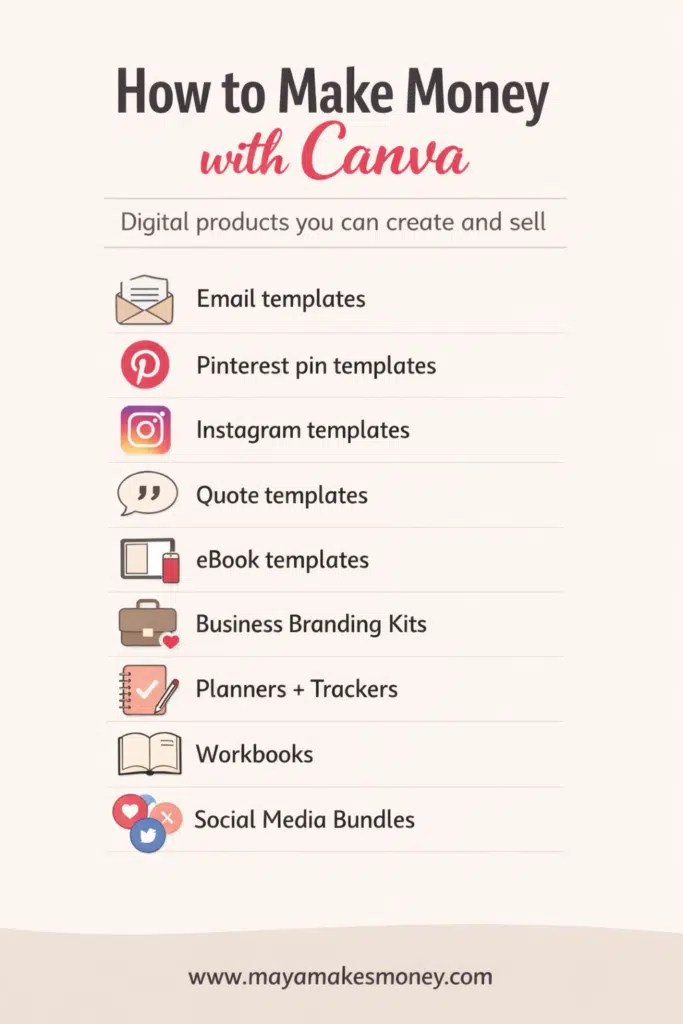
You can make money with Canva by creating digital products like:
💡Email templates
💡Pinterest pin templates
💡Instagram templates
💡Quote templates
💡eBook templates
💡Business branding kits
💡Planners + trackers
💡Workbooks
💡Social media bundles
Then you sell them on platforms like Gumroad.
And once your product is listed, it can sell while you’re sleeping… or working… or eating chips in bed pretending you’re “just resting your eyes.
That’s the magic of making money with Canva.
What You’ll Learn in This Post
Here’s what I’m going to walk you through step-by-step:
- What Canva templates sell best on Gumroad
- How to find winning Canva template ideas (fast)
- How to create a template the RIGHT way (so you don’t mess up your buyers)
- How to list your product on Gumroad
- How to price it
- How to promote it for free
Basically: the full beginner roadmap for how to make money from Canva.
⬆️ PIN THIS ⬆️
Step 1: Go to Gumroad and Spy on What’s Already Selling
Before you create anything, do this first:
Go to Gumroad Discover (Marketplace)
This is where you can see what people are buying and how much sellers are charging.
Search things like:
- Canva email templates
- Pinterest templates
- Instagram templates
- Wellness quote templates
- eBook templates
This is your free market research.
And it helps you answer the biggest question of all:
What do people already pay for?
Because if it’s already selling… you don’t need to reinvent the wheel.
You just need to make your own version of it.
Step 2: Start With the Easiest Seller: Canva Email Templates
One of the most popular template types people are using right now is:
Canva Email Templates
These can include things like:
- Welcome email templates
- Sales email templates
- Giveaway email templates
- New product launch email templates
- Newsletter templates
Businesses love these because they save time and make their brand look professional.
So yes… this is one of the simplest ways to start making money on Canva.
Step 3: Create Your Canva Template (Without Copying Someone Else)
Now head into Canva.
Search inside Canva
Type email template in the search bar.
Important tip:
✅ Make sure you’re searching in ‘Templates’
Not inside “Your Designs” (easy mistake)
Once you search, Canva will show you tons of options like:
- Email marketing templates
- Newsletter layouts
- Promotional email designs
- Brand campaign templates
Do NOT copy someone’s design exactly
Okay this matters.
If you use the exact same layout, colors, and style, you could run into copyright issues.
Instead, you want to customize.
What to change so it becomes YOURS
- Colors
- Fonts
- Text
- Images
- Icons
- Layout spacing
- Branding vibe
The more you customize, the more unique your product becomes.
And the more confident you’ll feel selling it.
This is one of the most important steps in how to earn money from Canva without getting your stuff flagged.
Step 4: The #1 Mistake Beginners Make When Selling Canva Templates
Okay this part is HUGE.
When you sell Canva templates, you can’t just send people the regular design link.
Because if you do…
Someone edits it… and it edits your original file.
Then the next customer buys it and gets the messed-up version.
And that is how people end up crying into their iced coffee. 😭
The correct way: Use Canva “Template Link”
Here’s what you do:
- Open your design in Canva
- Click Share
- Click Template link
- Copy that link
That template link creates a fresh copy for every buyer.
So they can edit it without ruining yours.
This is one of the most important Canva earn money tips in the entire process.
Step 5: Create a Cover Image (Because People Buy with Their Eyes)
On Gumroad, buyers don’t instantly see what’s inside your product.
They see the cover first.
So you need a clean, pretty, professional cover image that makes people go:
“Omg I need that.”
Your cover should include:
- A preview of several templates (like a collage)
- A title (example: “Canva Email Templates 2026”)
- A clean layout
- A simple promise (example: “30 editable email templates”)
Think of it like the “packaging” of your digital product.
Even if the templates are amazing, nobody buys them if the cover looks like a rushed science fair poster.
Step 6: List Your Canva Template on Gumroad
Now it’s time to sell.
Here’s how to upload your product
- Go to Gumroad
- Click Products
- Click New Product
- Choose Digital Product
- Add your product name
Example name:
Canva Email Templates 2026
Adding a year makes it feel fresh and updated, which helps buyers feel like they’re getting something new.
This is a simple trick for Canva money making products.
Step 7: Price It Cheap at First (So You Get Your First Sales Faster)
Start with a low price like:
- $0.99
- $3.99
- $5.99
When you’re brand new, you want:
- quick buyers
- quick reviews
- quick confidence
- quick momentum
Once you get sales rolling, you can raise prices or create bundles.
This is a smart beginner strategy for how to make money using Canva without over-investing.
Step 8: Write Your Product Description (Use This Easy Formula
Your Gumroad description needs to be super clear.
What’s included in the download?
Example:
📌30 email marketing templates
📌Editable Canva template link
📌Welcome emails
📌Sales emails
📌Giveaway emails
📌New product launch emails
Who it’s for
Example:
- small business owners
- creators
- coaches
- Etsy sellers
- service providers
What problem it solves
Example:
- saves time
- makes emails look professional
- helps you sell more
- keeps branding consistent
Notes (optional)
You can add things like:
- “This is a digital product, no refunds”
- “You’ll need a free Canva account”
- “Do not resell as-is”
This is the “professional” part of how to make money from Canva.
Step 9: Add a 16:9 Cover Image on Gumroad
Gumroad uses a 16:9 ratio for product covers.
So make sure your cover image fits that size.
(You can create it right inside Canva, obviously.)
Then upload it on your Gumroad product page.
Step 10: Choose Your Call-to-Action Button
On Gumroad, you’ll pick button text like: “Buy this”
Keep it simple.
Then hit Save and Continue.
Boom. Your product is now listed. Woohoo!
That’s literally it.
You just created a digital product and started your Canva money making era.
Step 11: Promote Your Canva Product for Free (No Ads Needed)
Once your product is live, you need eyeballs on it.
Promote through:
- YouTube
Best free promotion ideas:
- Post a reel showing the templates
- Show before/after “ugly email vs pretty email”
- Post a carousel preview
- Offer a mini freebie sample
- Share it in Facebook groups (without being spammy)
Start with free marketing first.
Ads can come later once you know your product converts.
This is how people build earn money with Canva income without spending money upfront.
⬆️ PIN THIS ⬆️
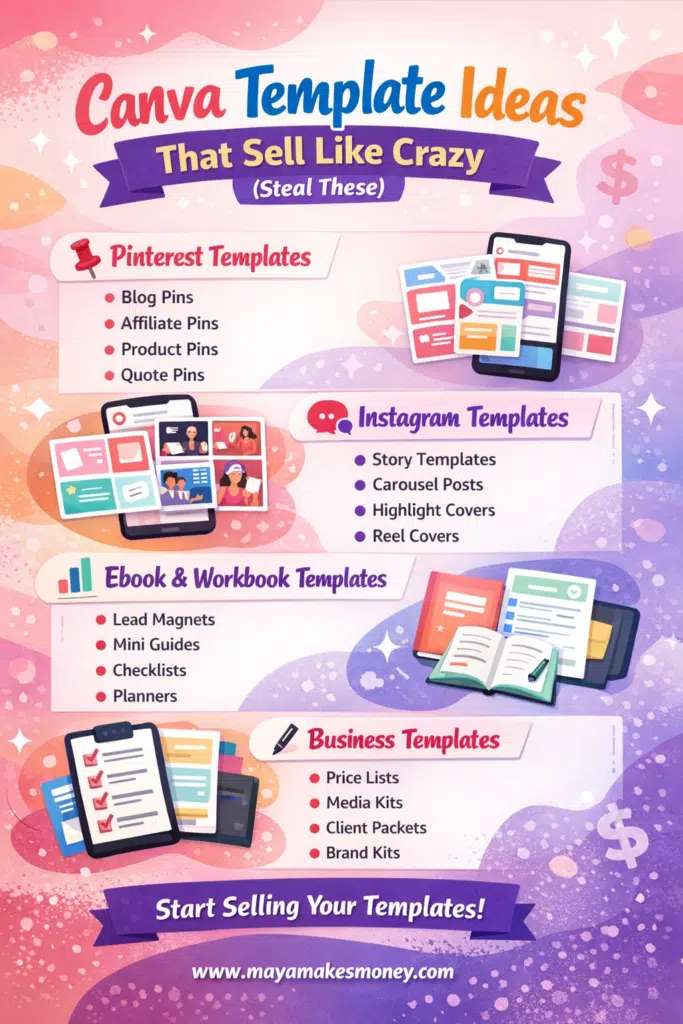
Canva Template Ideas That Sell Like Crazy (Steal These)
If you want more ideas beyond email templates, here are proven winners:
1. Pinterest Templates
📌pin templates for bloggers
📌affiliate pins
📌product pins
📌quote pins
2. Instagram Templates
💬story templates
💬carousel post templates
💬highlight covers
💬reel covers
3. Ebook + Workbook Templates
📊lead magnets
📊mini guides
📊checklists
📊planners
4. Business Templates
✍️price lists
✍️media kits
✍️client welcome packets
✍️brand kits
These are all great options if you’re serious about how to make money selling Canva templates.
Worth Noting: You Don’t Need Canva Pro to Start
You can start with free Canva.
But some features (like certain elements and fonts) may be Pro-only.
So, my advice is this, my friend:
1️⃣Start free.
2️⃣Sell your first product.
3️⃣Upgrade later if you want.
That’s the smartest way to build Canva earn money results without over-investing.
The Bottom Line
If you’ve been wondering how to make money with Canva, this is one of the easiest beginner methods:
✅ Create Canva templates
✅ Use a Canva template link (not a regular link)
✅ List it on Gumroad
✅ Use a good cover image
✅ Promote on social media for free
You don’t need a huge audience.
You just need one product that solves a problem.
And once you sell one template…
You’ll start thinking, “Wait… I can actually do this.”
Because you can.
How to Make Money with Canva FAQ
How to make money with Canva as a beginner?
Start by creating simple templates like Pinterest pins, Instagram posts, or email templates, then sell them on Gumroad or Etsy using Canva’s template link feature.
How to make money on Canva without selling templates?
You can offer Canva design services, create branding kits for clients, make printables, or sell digital products like planners, ebooks, and workbooks made in Canva.
Can Canva earn money really work?
Yes, Canva earn money strategies work because businesses and creators pay for ready-to-use designs that save time and look professional.
How to use Canva to make money fast?
The fastest method is selling a small bundle of templates (like 30 email templates) on Gumroad at a low price and promoting it on Instagram, Pinterest, or YouTube.
How does Canva make money?
Canva makes money through paid subscriptions (Canva Pro), premium elements, teams/business plans, and print services.
